
A powerful cloud-based design tool for collaboration
Figma has revolutionized User Interface (UI) and User-experience (UX) design by providing a cloud-based platform that enables real-time collaboration. Unlike traditional design software, this free tool allows multiple users to work on a project simultaneously, making it a favorite among design teams, freelancers, and businesses.
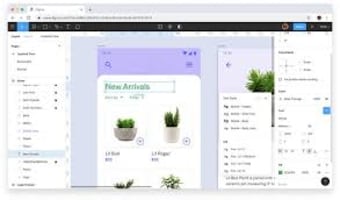
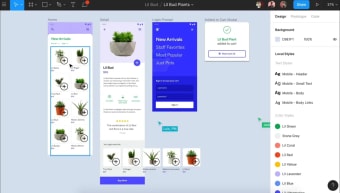
With an intuitive interface, powerful development tools, helpful tutorials, and seamless cross-platform accessibility, Figma streamlines the design workflow like never before, allowing users to test their prototype designs and functions before proceeding to implementation. This handy tool also provides templates for you or your team to get started on creating.
The tools you need for prototyping with seamless collaboration features
One of Figma’s biggest strengths is its real-time collaboration feature, which works like Google Docs for design. Multiple team members can edit, comment, and review designs in the same workspace, eliminating the need for back-and-forth file transfers. This makes it ideal for remote teams and fast-paced projects. Since everything is stored in the cloud, users can access their work from any device, ensuring seamless cross-platform functionality.
This handy tool offers a robust set of design tools, making it a strong competitor to Adobe XD and Sketch. It features vector editing, auto-layout, reusable components, and an extensive plugin library to enhance the workflow. The prototyping tools allow designers to create interactive, animated user flows without needing additional software. Additionally, its version history feature ensures that users can revert changes easily, reducing the risk of losing work.
Since Figma is browser-based, it runs smoothly on most modern devices without requiring high-end hardware. However, performance may suffer with complex files or weak internet connections. Moreover, while it is feature-rich, some advanced editing tools available in Adobe Photoshop or Illustrator are still missing. Compared to competitors, Figma's pricing is reasonable, but its subscription model may not appeal to users looking for a one-time purchase option.
A game-changer for collaborative design
Figma stands out as a powerful cloud-based design tool that simplifies collaboration and streamlines the UI/UX workflow. Its real-time editing, intuitive interface, and strong prototyping capabilities make it an essential tool for designers and teams. While its browser-based nature ensures accessibility, performance issues with large files and a subscription-based model may deter some users. Nonetheless, Figma remains one of the best tools for modern, collaborative design.





.png)